Main output
What the congregation sees
Real output with dynamic background, slide animation and live info bar.
Dark VeilVertical in/outLive info bar
Designed from day one for the real workflow of a worship team. No filler features. No unnecessary complexity.
Main output
Real output with dynamic background, slide animation and live info bar.
Stage monitor
Current slide, next, clock and item timer. No animation on change.
Song editor
Organize verses, choruses and bridges without leaving the service flow.
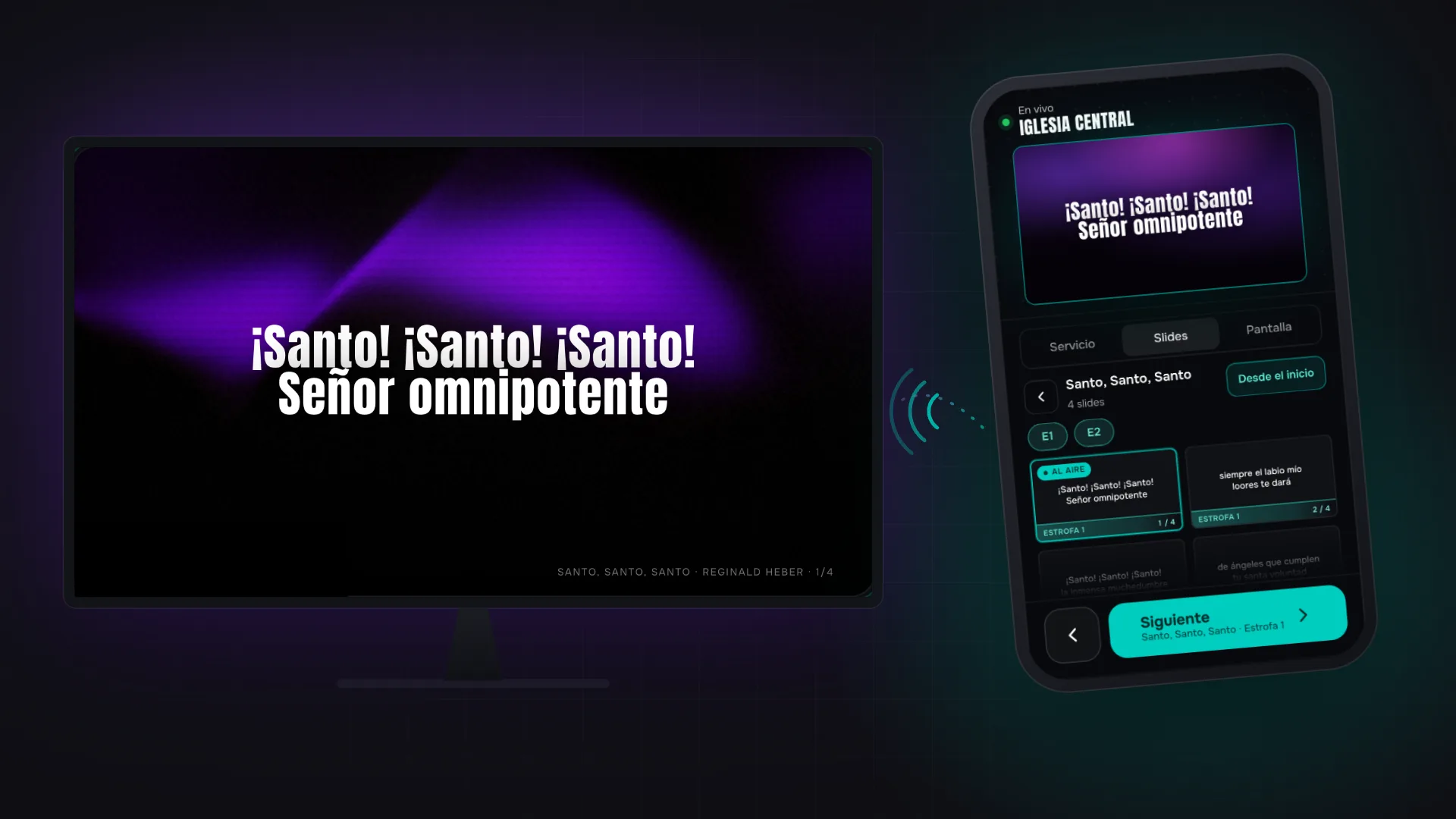
Remote control
The whole service, every item's slides and the real on-air view. No app, no installation.
Built for live use: tap a card to mark it, tap it again to project it, and a big button steps forward like a clicker.
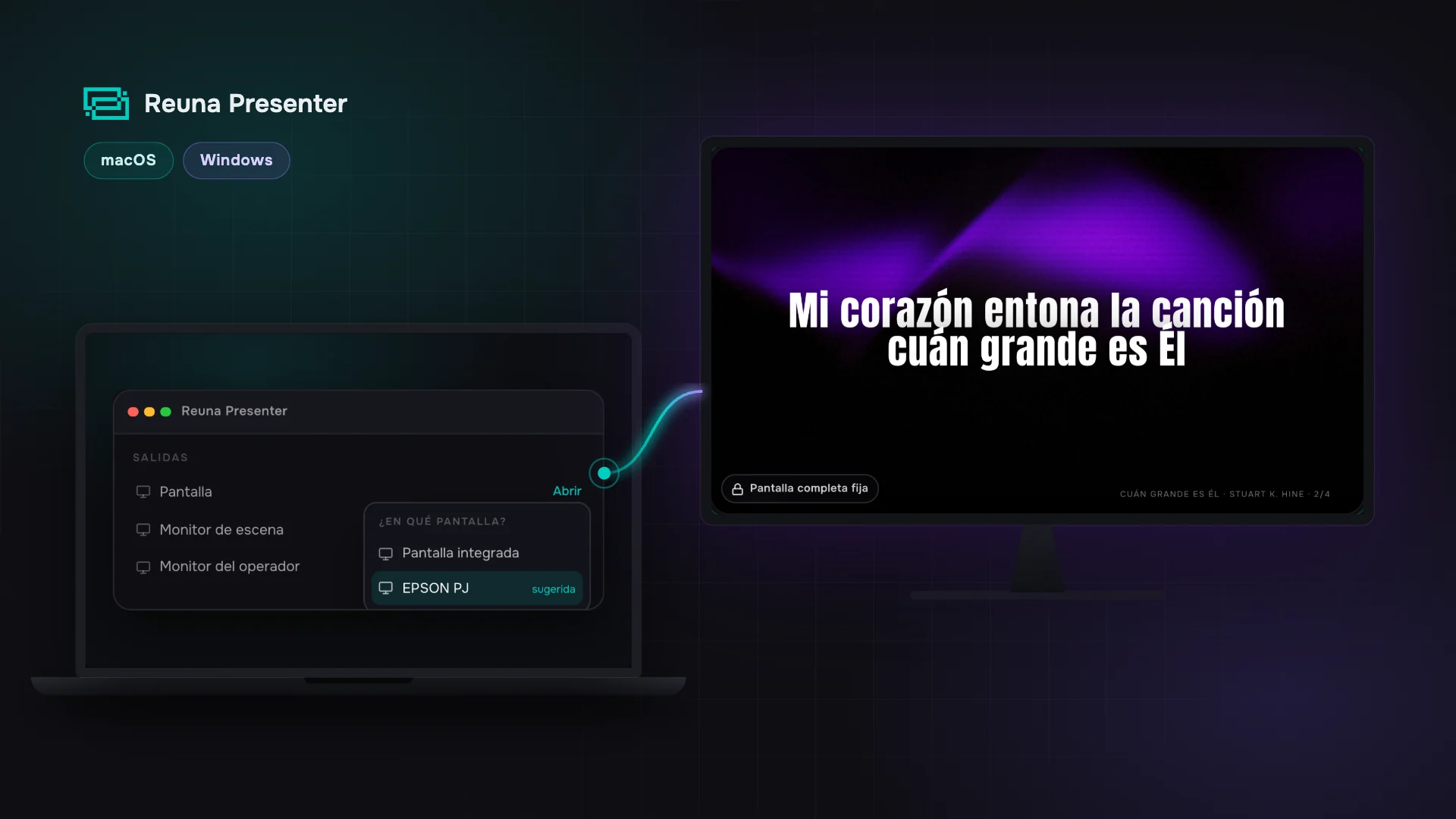
When you open the projection or a monitor, Reuna shows the connected displays and opens straight on the one you pick, fullscreen. It remembers your projector for next time.
A stray Escape no longer kills the projection.
Assign estimated times to each item and see in the header how long the service lasts in total. Never improvise the closing again.
Calculated in real time when modifying the plan.
Add notes that only the operator or pastor sees. Never projected on screen. Ideal for technical reminders or context for the speaker.
Expandable with one click in the side panel.
One button to add anything to the plan: type «song», «pdf» or a reference like «John 3:16» and you get the item type or the actual content from your library, added instantly.
Also in the Presenter, for last-minute additions.
When choosing a song for the plan, you see a preview panel with all sections and how they'll look when projected before adding.
Avoids accidentally projecting the wrong song.
Access songs shared in the cloud and import them to your workspace with one click. Never load the same song twice.
Available on Pro and Church plans.
Bible chapters you open are stored locally on the device, so they keep displaying even if your connection drops mid-service.
Searching new passages still needs internet.
Advance with arrows, activate Blank with B, Logo with L. Show the shortcuts panel with ?. All documented in the in-app help panel.
Works with any USB or Bluetooth keyboard.
Run the service with three layouts: a horizontal view, columns for items, slides and previews, or a focused view. Adjust card and text size for your monitor.
Responsive 16:9 cards, song section colors and workspace-saved preferences.
Upload images, videos and PDFs to your workspace. Organize them in collections. Use them as backgrounds or project them full-screen.
100 MB in Free, 500 MB in Pro, 2 GB in Church.
Project images and videos from the media library. Configure transition, duration per slide and autoplay. Supports JPG, PNG, GIF, PDF and MP4.
Full support for YouTube links.
Schedule slide changes, blank screen, logo and more with millisecond precision. The timeline starts automatically when projecting an item — no manual intervention.
Available on all current plans.
Connect a keyboard or MIDI controller and trigger cues, navigate slides and control the presentation with physical buttons in real time. No complex configuration.
Available on all current plans.
Each template auto-adapts to any output resolution: 16:9, ultrawide, vertical. Uses container queries (cqw/cqh) to render full-bleed with no black bars.
Compatible with any screen or projector.
Templates with long content auto-paginate into multiple slides with smooth transitions between pages. Content is never cut off.
Ideal for long sermons or extended scriptures.
Assign specific roles to each output: main, lyrics, scripture, background, monitor. Each role determines what content is projected on that screen.
Configurable roles per screen.
Each screen can have its own font, size, color, background and transition configuration. Independent from the global settings.
Full per-output customization.
Invite your team with a secure link that expires in 7 days. The invitee signs in or creates an account with the invited email and joins the workspace automatically with the assigned role.
Up to 1 member on Free, 5 on Pro and 10 on Church.
Assign Admin, Operator or Member to each teammate. Roles control what each person can edit, project and configure across the whole app.
Member is read-only: sees the plan and libraries without editing or projecting.
Talk directly with the Reuna team from the app: tap the support bubble, write, and we reply in the same thread.
No bots, no tickets: one ongoing thread with a real person. When we reply, a badge on your profile lets you know.
Articles on presentation, worship and local church management.